Bookchoy Chrome Extension
The Bookchoy Chrome Extension is here! It works on YouTube, Netflix, Disney+, iQiyi, and every webpage you visit. Everything you save on the extension will show up in the app for review.
 Steven Landow June 13, 2026 · 1 min read
The Bookchoy Chrome Extension is live on the Chrome Web Store! You can install it here. The extension works on YouTube, Netflix, Disney+, iQiyi, and every webpage you visit. Everything you save on the extension will show up in the app for review.
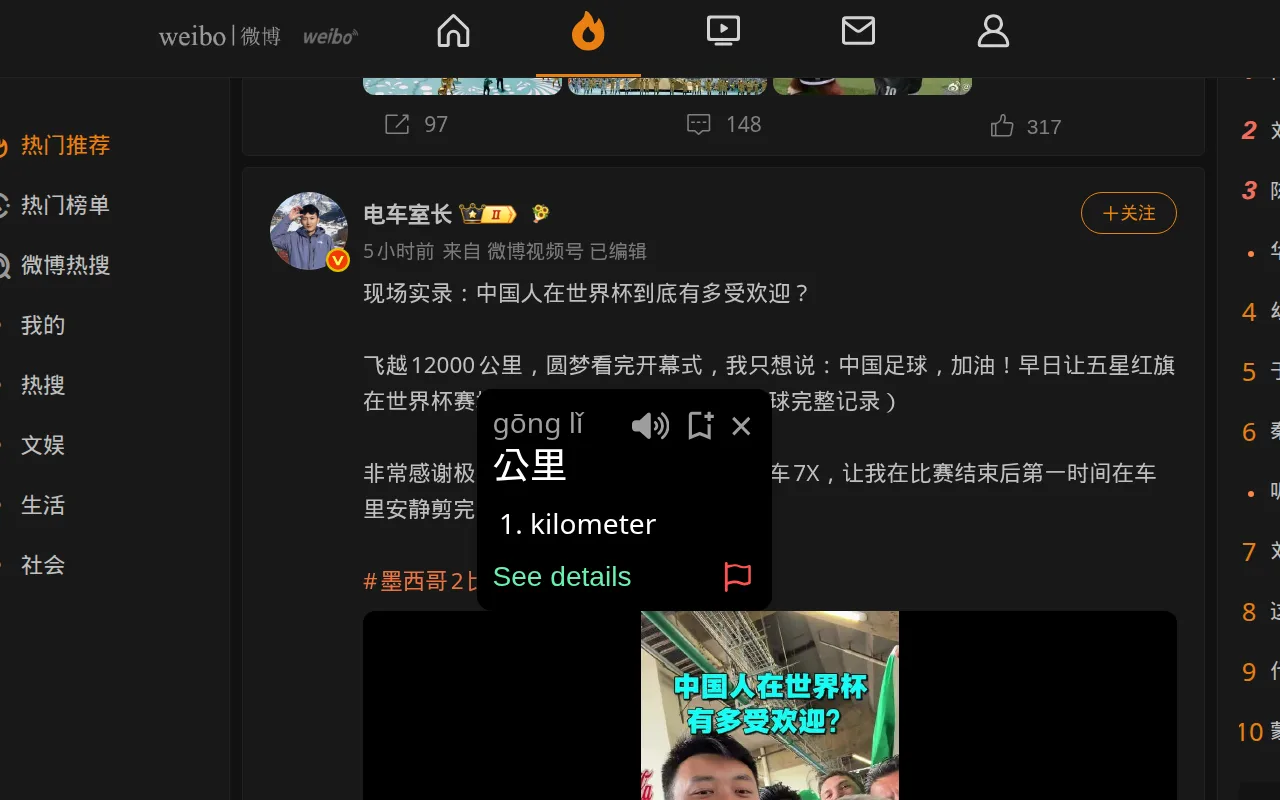
On any webpage, you simply hold Shift and hover over any Chinese text to get
the same word popup you would get in the app. You can see the pinyin, english
meaning, hear the pronunciation, see example sentences and most importantly:
save the word to your SRS! Whether you're shopping on Taobao (淘宝), reading
the news, or browsing Weibo (微博), you can collect new vocab.
For sentences, simply highlight the text and click the Bookchoy button and you can see the full sentence translation, breakdown and save it to the SRS as well.
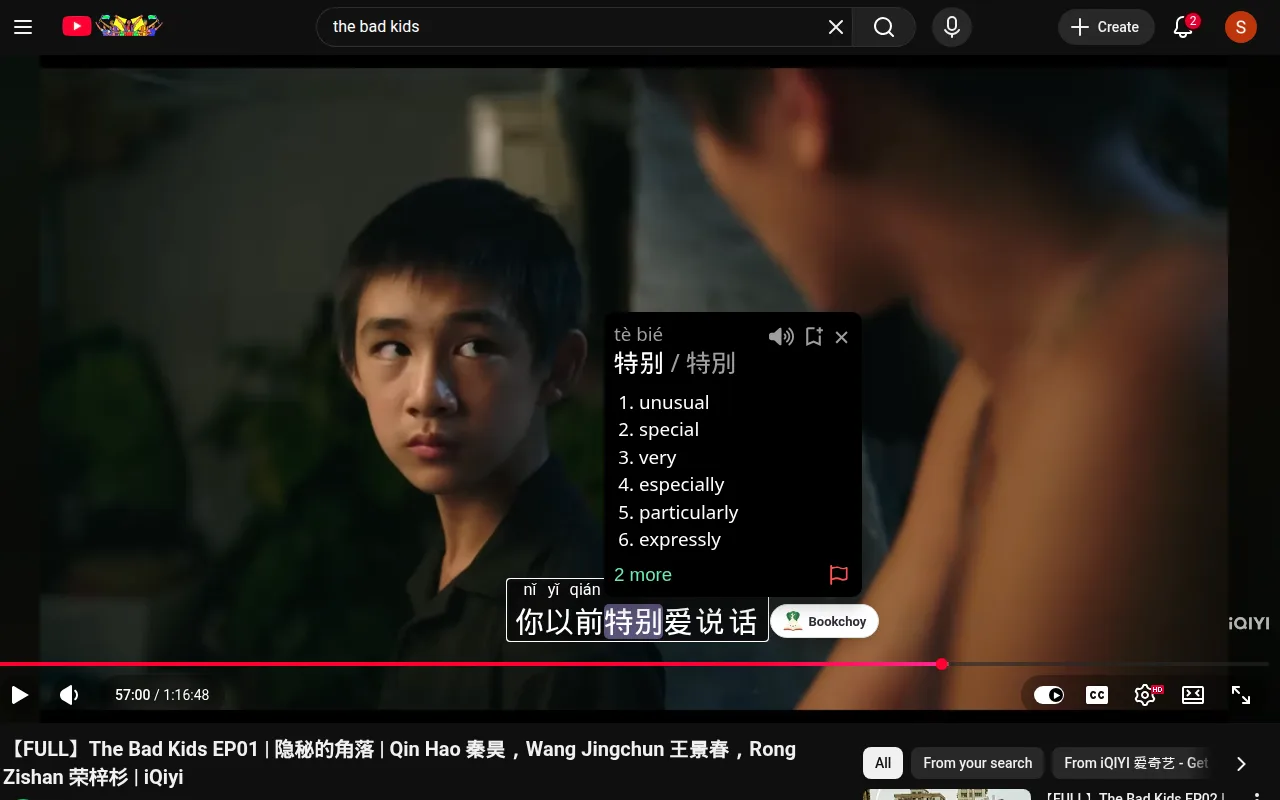
The extension also works on YouTube, Netflix, and iQiyi (iq.com). You just go to those sites the way you normally would, and the extension will make the existing subtitles interactive! Click on a word to see the per-word info or the Bookchoy button for a full sentence. You can also turn on pinyin and the existing subtitles will have accurate pinyin on top of the characters.
Later, I will keep adding to the extension. More streaming sites, support for baked-in subtitles which are common for lots of Chinese streaming sites like Bilibili. I also need to add the full in-depth breakdowns, the auto-pause, pronunciation and shadowing tools and more. For now though, I am very happy with it and I hope you enjoy it too!

Get the Bookchoy app
Read, watch and practice Chinese from whatever content you want. 什么菜都可以!